

Best Budget Speakers for PC, Gaming, and Small Rooms in 2026
Eight source-backed speaker picks for compact desks, stronger bass, multi-device setups, and small rooms, with prices and specifications kept in one editable data file.
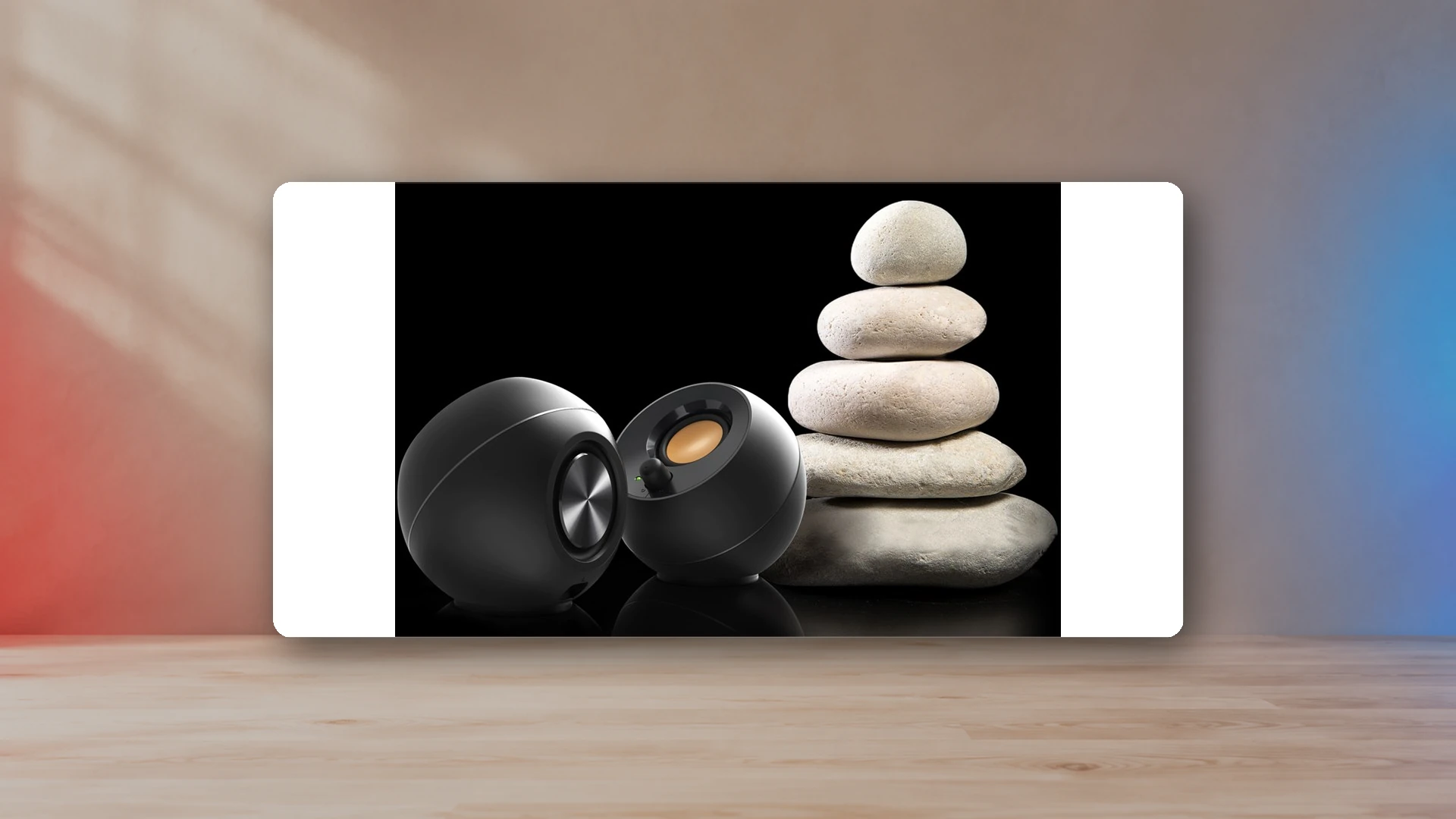
The best budget speaker is not simply the cheapest box that makes sound. A compact 2.0 pair, a 2.1 system with a subwoofer, a powered bookshelf pair, and a console-friendly soundbar solve different problems. This guide separates those formats so you can choose around your desk, room, inputs, and tolerance for cables rather than buying whatever happens to be discounted.
For most small PC and gaming desks, the Creative Pebble Pro is the strongest under-$100 starting point because it combines USB audio, Bluetooth, AUX, and a compact footprint. The Creative Pebble is the lowest-cost sensible upgrade over built-in monitor speakers. The Edifier MR4 is the better fit when a larger desk can accommodate monitor-style cabinets, while the Edifier M60 gives a compact premium route with USB-C and Bluetooth. A Logitech Z407 or Creative Pebble Plus makes more sense when bass impact matters more than keeping the floor clear.
Compare the strongest current formats
The M60 is the compact premium route, the Z407 is the convenient 2.1 route, and the R1280DB is the multi-input bookshelf route. Prices and availability can change, so the article keeps specifications separate from retailer destinations.
Best budget speakers at a glance
| Best for | Speaker | Why it fits | Main limitation |
|---|---|---|---|
| Lowest-cost desk upgrade | Creative Pebble | Very small, USB-powered, and simple to connect through AUX. | Limited output and bass extension. |
| Cheap 2.1 setup | Creative Pebble Plus | Adds a compact subwoofer without moving far beyond entry-level pricing. | More cables and floor or shelf space. |
| Best compact option under $100 | Creative Pebble Pro | USB audio, Bluetooth 5.3, AUX, headset and mic ports, and a small footprint. | Deep bass still requires a larger system. |
| Best under-$100 soundbar | Sound Blaster GS5 | USB audio, optical input, PS5 support, and one-piece placement below a display. | Wide cabinet and less stereo separation than spaced speakers. |
| Convenient 2.1 controls | Logitech Z407 | Wireless control dial, USB, Bluetooth, AUX, and a dedicated subwoofer. | Subwoofer and cable routing add clutter. |
| Monitor-style value | Edifier MR4 | Balanced TRS plus RCA and AUX, with monitor and music modes. | No Bluetooth or optical input. |
| Premium compact desk pair | Edifier M60 | Small cabinets, USB-C, AUX, Bluetooth 5.3, and substantially more rated power. | Costs more than entry-level “budget” systems. |
| Multi-input bookshelf pair | Edifier R1280DB | Bluetooth, optical, coaxial, and dual RCA inputs in a larger powered cabinet. | Requires much more desk or shelf space. |
Budget speaker specifications and US list prices
| Product | Typical Price | Format | Inputs | Rated Power | Peak Power | Frequency Low | Width | Depth |
|---|---|---|---|---|---|---|---|---|
| Creative Pebble | $24.99 | 2.0 desktop | 3.5 mm AUX; USB-A power | 4.4 W | 100 Hz | 122 mm | 115 mm | |
| Creative Pebble Plus | $54.99 | 2.1 desktop | 3.5 mm AUX; USB-A power | 8 W | 50 Hz | 122 mm | 115 mm | |
| Creative Pebble Pro | $89.99 | 2.0 desktop | USB-C audio; Bluetooth 5.3; 3.5 mm AUX | 10 W | 20 W | 80 Hz | 123 mm | 118 mm |
| Sound Blaster GS5 | $99.99 | 2.0 soundbar | USB-C audio; Bluetooth 5.3; optical; 3.5 mm AUX | 30 W | 60 W | 65 Hz | 510 mm | 82.6 mm |
| Logitech Z407 | $129.99 | 2.1 desktop | USB audio; Bluetooth 5.0; 3.5 mm AUX | 40 W | 80 W | 40 Hz | 93.9 mm | 85.2 mm |
| Klipsch ProMedia 2.1 THX | $159.99 | 2.1 desktop | 3.5 mm AUX | 100 W | 200 W | 35 Hz | 106.7 mm | 144 mm |
| Edifier MR4 | $169.99 | 2.0 powered monitor | Balanced TRS; RCA; 3.5 mm AUX | 42 W | 60 Hz | 140 mm | 197.5 mm | |
| Edifier M60 | $199.99 | 2.0 compact desktop | USB-C audio; Bluetooth 5.3; 3.5 mm AUX | 66 W | 58 Hz | 100 mm | 147 mm | |
| Edifier R1280DB | $189.99 | 2.0 powered bookshelf | Bluetooth; optical; coaxial; dual RCA | 42 W | 55 Hz | 146 mm | 196 mm | |
| Edifier R1700BT | $219.99 | 2.0 powered bookshelf | Bluetooth 5.1; dual RCA / AUX | 66 W | 60 Hz | 154 mm | 214 mm |
How the data was assembled
Product selection combines manufacturer specifications, current US pricing, compatibility information, and published measurements. Measurements are attributed to their sources in the comparison data.
How to choose the right speaker format
2.0 desktop speakers
A 2.0 system uses a left and right speaker without a separate subwoofer. This is the safest format for a gaming desk because the pair creates clear stereo positioning while keeping everything above the floor. Compact models such as the Pebble Pro and M60 work well beside a monitor; larger models such as the MR4 need more distance from the wall and more room around the cabinets.
Read the dedicated small gaming desk speaker guide when physical space is the deciding factor.
2.1 speakers
A 2.1 system adds a subwoofer. It can make explosions, engines, movie scores, and bass-heavy music feel larger, but it also adds a power cable, a signal cable, and a cabinet that must live under or beside the desk. The low-frequency energy can travel through floors and walls more easily than the satellites suggest.
The 2.0 versus 2.1 guide explains when the extra bass is worth the extra hardware.
Soundbars
A soundbar is useful when the monitor stand blocks side placement or the desk is too narrow for two cabinets. The GS5 is especially relevant because Creative lists USB audio support for PS5 as well as PC and Switch connections. The tradeoff is that a single enclosure cannot create the same physical left-right spread as separated speakers.
Powered bookshelf speakers
Powered bookshelf speakers place amplification inside one cabinet, so they do not need a separate receiver. The deeper cabinets can support larger drivers and more inputs, but they consume much more desk depth. A shelf, console table, or wide desk often makes more sense than squeezing them against a monitor.
What the numbers actually tell you
Power ratings help describe the amplifier, but they do not tell you how balanced, clean, or loud a speaker will sound in a particular room. Peak power is especially poor for comparing products because brands calculate it differently. RMS figures are more useful, but cabinet volume, driver size, distortion control, listening distance, and placement still matter.
Frequency response is also incomplete without a tolerance range. A manufacturer may list a low-frequency number without saying how far output has fallen at that point. Treat the number as a clue about cabinet limits, not a guarantee of equally strong output across the entire range.
Dimensions are easier to use. Measure the actual left and right spaces beside the monitor, the depth available before a speaker blocks the mouse area, and the height below any shelf. Leave room for rear ports and cables. A “compact” speaker can still be too deep for a shallow desk.
Best ultra-cheap pick: Creative Pebble
The original Creative Pebble is the straightforward choice when the goal is to replace thin laptop or monitor speakers at the lowest practical cost. It uses USB for power and a 3.5 mm cable for audio, so it works best with a PC, monitor, dock, or device that still has an analog output.
The manufacturer lists US list price at $24.99.
The manufacturer lists total RMS output at 4.4 W.
Buy it for a small desk, light listening, dialogue, and everyday games. Do not buy it expecting sub-bass, high room volume, or a wireless connection.
Best cheap 2.1 pick: Creative Pebble Plus
The Pebble Plus keeps the small angled satellites and adds a down-firing subwoofer. That makes it the clearest entry-level option for a player who wants more low-end weight without moving to a large 2.1 system. It still uses an analog 3.5 mm audio input, and maximum output depends on supplying enough USB power.
The manufacturer lists US list price at $54.99.
The manufacturer lists total RMS output at 8 W.
The subwoofer is compact, but it still needs a stable position and cable route. The system is better for a permanent desk than a setup that moves frequently.
Best compact option under $100: Creative Pebble Pro
Pebble Pro is the most flexible compact option in this price band. USB-C can carry audio and power, Bluetooth 5.3 handles phones and tablets, and AUX supports older or monitor-based connections. Headset and microphone ports make it easier to switch between speakers and private chat without reaching behind the PC.
The manufacturer lists US list price at $89.99.
The manufacturer lists standard RMS output at 10 W.
Its small cabinets still set a physical limit on bass, but the connection set is unusually practical for a crowded desk. See the full best PC speakers under $100 comparison for the four strongest sub-$100 formats.
Best under-$100 soundbar: Sound Blaster GS5
The GS5 is the best fit when the monitor has no room at either side or when one speaker needs to serve both a PC and a console display. Creative lists USB-C audio, optical, Bluetooth 5.3, AUX, a headphone output, and direct PS5 compatibility through USB audio.
The manufacturer lists US list price at $99.99.
The manufacturer lists peak output at 60 W.
The cabinet is wide, so measure the clear space between the monitor feet. The PS5 speaker connection guide covers USB audio, display outputs, optical paths, and the controller jack.
Best convenient 2.1 controls: Logitech Z407
The Z407 combines a pair of movable satellites, a down-firing subwoofer, USB audio, Bluetooth, AUX, and a wireless control dial. The dial is useful when the speakers sit beyond arm’s reach or when the subwoofer level needs regular adjustment.
The manufacturer lists peak system output at 80 W.
This is a convenience-first 2.1 system. Choose it when bass and remote control matter more than a minimal cable layout.
View Logitech Z407 speakers on Amazon (paid link)
Best monitor-style value: Edifier MR4
The MR4 is the practical step toward monitor-style desktop audio. Its balanced TRS inputs suit an audio interface, while RCA and AUX cover ordinary PCs and consumer devices. The front volume control and headphone output are useful on a desk, and the monitor/music mode switch changes the intended presentation without requiring software.
The manufacturer lists total RMS output at 42 W.
The cabinets are much larger than Pebble-style speakers, so the MR4 works best on a desk wide enough to place both speakers outside the monitor rather than directly underneath it.
Best premium compact pair: Edifier M60
The M60 combines a genuinely compact cabinet with USB-C audio, AUX, Bluetooth 5.3, and a much higher rated output than entry-level USB speakers. It is the strongest fit when desk space is limited but the budget can reach beyond $100.
The manufacturer lists total RMS output at 66 W.
The manufacturer lists listed low-frequency limit at 58 Hz.
View Edifier M60 speakers on Amazon (paid link)
Best multi-input bookshelf pair: Edifier R1280DB
The R1280DB is the easiest choice here to share among a PC, TV, console display, and analog source. Optical and coaxial inputs complement Bluetooth and two RCA line inputs. Side controls and a remote make it better suited to a shelf or wide desk than a pair that expects an audio interface.
The manufacturer lists total RMS output at 42 W.
The larger cabinet is the point, not a flaw, but it changes the setup. Measure depth carefully and keep the speakers out of the monitor’s viewing area.
View Edifier R1280DB speakers on Amazon (paid link)
Connections: USB, AUX, Bluetooth, optical, and HDMI
- USB audio: keeps the digital conversion inside the speaker and can simplify PC or compatible-console use.
- 3.5 mm AUX: remains the most universal connection for monitor outputs, controllers, handheld docks, and older PCs.
- Bluetooth: is convenient for phones and casual listening, but wired audio is safer when latency or reliability matters.
- Optical: is useful for a TV or monitor that provides a digital audio output.
- HDMI ARC/eARC: is common on TV-focused soundbars but rare on low-cost desktop speakers.
Speaker placement matters more than decorative features
Place the left and right speakers at roughly equal distances from your head and aim the tweeters or full-range drivers toward ear level. Avoid hiding one speaker behind a monitor or pushing a rear-ported cabinet directly against the wall. Small changes in angle and distance can matter more than RGB lighting or an unused wireless mode.
For a subwoofer, start on the floor near the desk but not inside a closed cabinet. If bass becomes boomy, move it away from the nearest corner. If it sounds weak, check phase, crossover behavior, and whether the desk or floor is canceling part of the output at the listening position.
What to avoid
- Buying a Bluetooth-only speaker for latency-sensitive PC gaming.
- Using peak watts as the only comparison metric.
- Choosing a deep bookshelf cabinet without measuring the desk.
- Assuming every monitor has a headphone or line output.
- Buying a 2.1 system without planning where the subwoofer and cables will go.
- Paying for RGB or virtual-surround labels before checking inputs and physical fit.
Final recommendations
Choose the Creative Pebble when the budget is extremely tight. Move to Pebble Pro when connection flexibility matters. Choose the GS5 when one low-profile soundbar must serve a PC and PS5. Choose the MR4 for a larger monitor-style desktop setup, the M60 for a compact premium desk, the Z407 for convenient 2.1 bass, and the R1280DB for a shelf or wide desk shared by several sources.
Prices and specifications are attributed to the listed manufacturer sources and are reviewed as products, pricing, and connection standards change.
Continue the gaming-audio setup
Sources
- Creative Pebble official specificationsCreative Labs
- Creative Pebble Plus official specificationsCreative Labs
- Creative Pebble Pro official specificationsCreative Labs
- Sound Blaster GS5 official specificationsCreative Labs
- Logitech Z407 official product informationLogitech
- Edifier MR4 official specificationsEdifier USA
- Edifier M60 official specificationsEdifier USA
- Edifier R1280DB official specificationsEdifier USA
Harry Negron
Harry Negron leads NexusArc's editorial direction across games, player culture, gear, and technology.