

Gaming Speaker Placement: Height, Distance, Angle, and Subwoofer Position
A step-by-step desk and room guide for improving stereo imaging, dialogue clarity, and bass consistency before buying new speakers.
Speaker placement can change a gaming setup more than a small upgrade in amplifier power. A good pair placed at unequal distances, hidden behind monitors, or pushed into a corner may sound vague and bass-heavy. A modest pair placed symmetrically, aimed toward the listener, and kept clear of obstacles can create a much more stable stereo image.
Step 1: choose the real listening position
Set the chair where you normally play, not where it looks best in a photograph. Sit at the usual height and distance from the monitor. That point becomes the center of the setup. If the desk is used by several people, choose the most common position rather than trying to optimize every seat equally.
Do not start by measuring from the front edge of the desk. The relevant distance is from each speaker’s acoustic center to the listener. The two distances should be as similar as the room allows.
Step 2: create a practical listening triangle
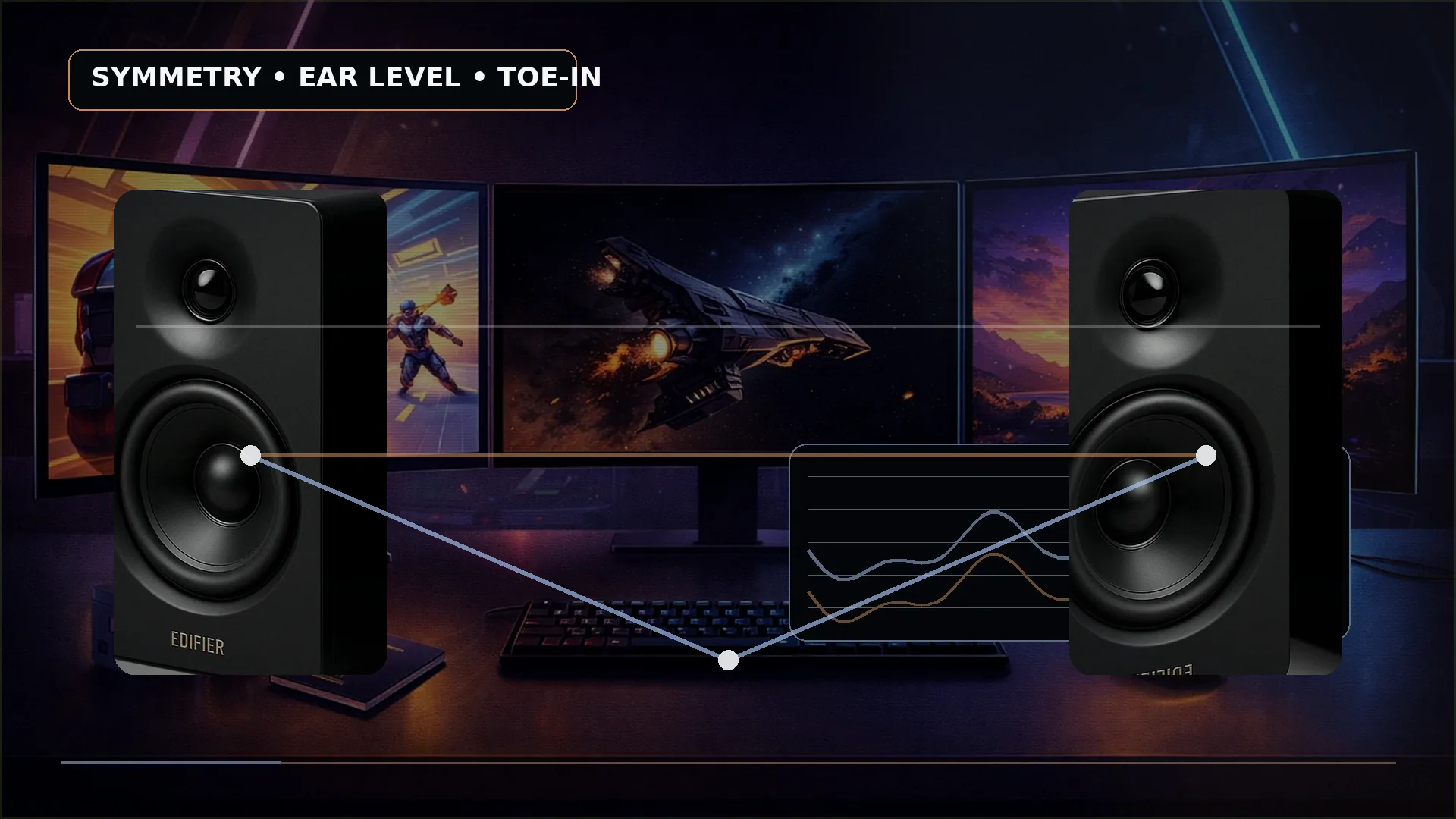
A traditional stereo starting point uses similar distances between the two speakers and from each speaker to the listener. On a desktop, the triangle may be smaller than it would be in a studio, but the principle remains useful: do not place the pair close together under a wide monitor and then expect a broad image.
Measure from the left speaker to the chair and from the right speaker to the chair. Adjust until the difference is small. If one speaker must be farther away because of furniture, correct the physical position before reaching for software balance controls.
Step 3: set the speaker height
The tweeter or main full-range driver should normally be close to ear level. A compact speaker with an upward-angled driver can sit directly on the desk. A taller bookshelf speaker may need a stand or isolation pad so the acoustic axis is not aimed at the player’s chest.
Genelec recommends aiming monitors toward the listening position and keeping the acoustic axis near ear height. For a gaming desk, the exact floor measurement is less important than matching the seated listener and keeping both sides at the same height.
If a shelf forces the speakers above the monitor, tilt them down. Avoid extreme angles that send one speaker past the listener or make the top panel unstable.
Step 4: use toe-in deliberately
Toe-in means rotating the speakers inward. Start with both aimed toward the head or just behind it. Listen to a centered voice, mono test signal, or familiar dialogue. If the center image feels vague, increase toe-in evenly. If the sound becomes too narrow or bright, reduce it.
Do not point one speaker directly at the chair while leaving the other parallel to the wall. Matching the angles is more important than copying a generic degree value from another room.
Step 5: clear the monitor and desk objects
The speaker drivers need a clear path to the listener. A monitor edge, laptop lid, microphone, console, or stack of accessories can block one side and change the direct sound. If one cabinet is behind a display, move the display, raise it on an arm, or use a smaller speaker format.
Dual monitors are especially difficult. The best solution is often monitor arms that recover space under the outer edges. If the screens must remain on stands, keep the speaker pair outside the displays and angle them inward rather than putting both speakers on one side.
Step 6: manage the desk surface
A hard desk reflects sound toward the ears and can vibrate with bass. Small isolation pads or stands raise the cabinet, reduce direct mechanical contact, and make aiming easier. They do not replace good placement, but they can prevent a speaker from rattling a hollow desk.
Keep the speaker stable. A foam wedge should support the entire base, and a stand should not place a heavy cabinet where it can be knocked over by the monitor or chair.
Step 7: leave sensible wall clearance
Wall distance affects bass because reflected sound combines with direct sound. Genelec’s placement guidance notes that desktop monitors often work close to the wall, while rear bass-reflex ports still need physical clearance. The correct distance depends on the speaker and room, so follow the product manual and adjust from a repeatable starting point.
Do not trap a rear-ported cabinet directly against the wall or inside a closed cubby. At the same time, randomly moving it far into the room can create a different cancellation. Change one distance at a time and listen from the normal chair.
Ultrawide-monitor placement
An ultrawide can push speakers very far apart. If the cabinets sit outside the panel, increase toe-in and verify that both remain the same distance from the chair. Compact speakers may fit between the screen and desk edge, while an under-monitor soundbar can be more practical when width is impossible.
The small-desk speaker guide compares cabinet footprints. The format guide explains when a soundbar or headset is the more sensible compromise.
Dual-monitor placement
With two screens, preserve left-right symmetry around the listening position rather than around one monitor. If the main display is off-center, center the speakers on the chair and primary gaming view. One screen may need to move upward or outward to keep a speaker unobstructed.
Do not put a speaker between two screens if the other speaker sits outside the pair. That creates unequal distance and reflection paths that are hard to correct.
Subwoofer placement
Low frequencies are less directional, but the room strongly changes their level. Start with the subwoofer near the front wall and slightly off the exact center line. Keep the driver and port clear, and avoid a position where feet, chair wheels, or cables can strike the cabinet.
A corner usually increases bass output, but it can also make a narrow group of notes sound boomy. If that happens, move the subwoofer away from the corner in small steps. If bass disappears at the chair, try a different wall position rather than immediately increasing the gain.
For a more systematic approach, place the subwoofer temporarily near the listening position and listen or measure at several possible floor locations. The place with the smoothest bass can become the subwoofer location. Genelec describes this as using the reciprocity principle.
Shared rooms and apartments
A subwoofer couples low-frequency energy into floors and walls. Use lower gain, avoid shared corners, and consider isolation where vibration is a problem. Night use may still require a headset even when the speaker system is well placed.
The 2.0 versus 2.1 guide helps decide whether a subwoofer is appropriate before it becomes a placement problem.
Simple listening checks
- Play a centered voice or mono signal and confirm it appears between the speakers.
- Move your head slightly left and right; the image should shift smoothly rather than collapse.
- Play a slow frequency sweep at moderate volume and note obvious bass peaks or gaps.
- Check for desk rattles, loose stands, and cable vibration.
- Compare with the subwoofer muted and active.
- Save one position before experimenting so you can return to it.
A phone sound-level app can help match left and right level roughly, but it is not a calibrated measurement system. The goal is repeatable comparison, not a laboratory certificate.
Common placement mistakes
- One speaker is hidden behind a monitor.
- The left and right speakers are at different heights.
- Both speakers are placed on one side because that is where the shelf is.
- A rear port is blocked.
- The subwoofer is inside a closed cabinet.
- The pair is aimed straight ahead even though the listener sits close.
- The desk vibrates and the vibration is mistaken for stronger bass.
- Software EQ is used before basic placement is fixed.
Final setup sequence
Center the chair, place the speakers at equal distance, match their height, aim them toward the listener, clear the monitor, and control wall distance. Listen to the main pair before adding the subwoofer. Then move the subwoofer in small steps and adjust its level. Once the physical setup is stable, use EQ only for the problems that placement cannot solve.
Return to the budget-speaker pillar when choosing the hardware, then use this guide to make the selected system work in the actual room.
Sources
- How to place your monitorsGenelec
- Beginner guide to monitor and subwoofer placementGenelec
- Subwoofer positioning guidanceGenelec Support

Harry Negron
Harry Negron leads NexusArc's editorial direction across games, player culture, gear, and technology.