

Edifier M60 vs R1280DB vs R1700BT: Which Speaker Fits Your Setup?
M60 is the compact USB-C desktop choice, R1280DB is the multi-input TV and desk choice, and R1700BT is the larger analog-and-Bluetooth music choice.
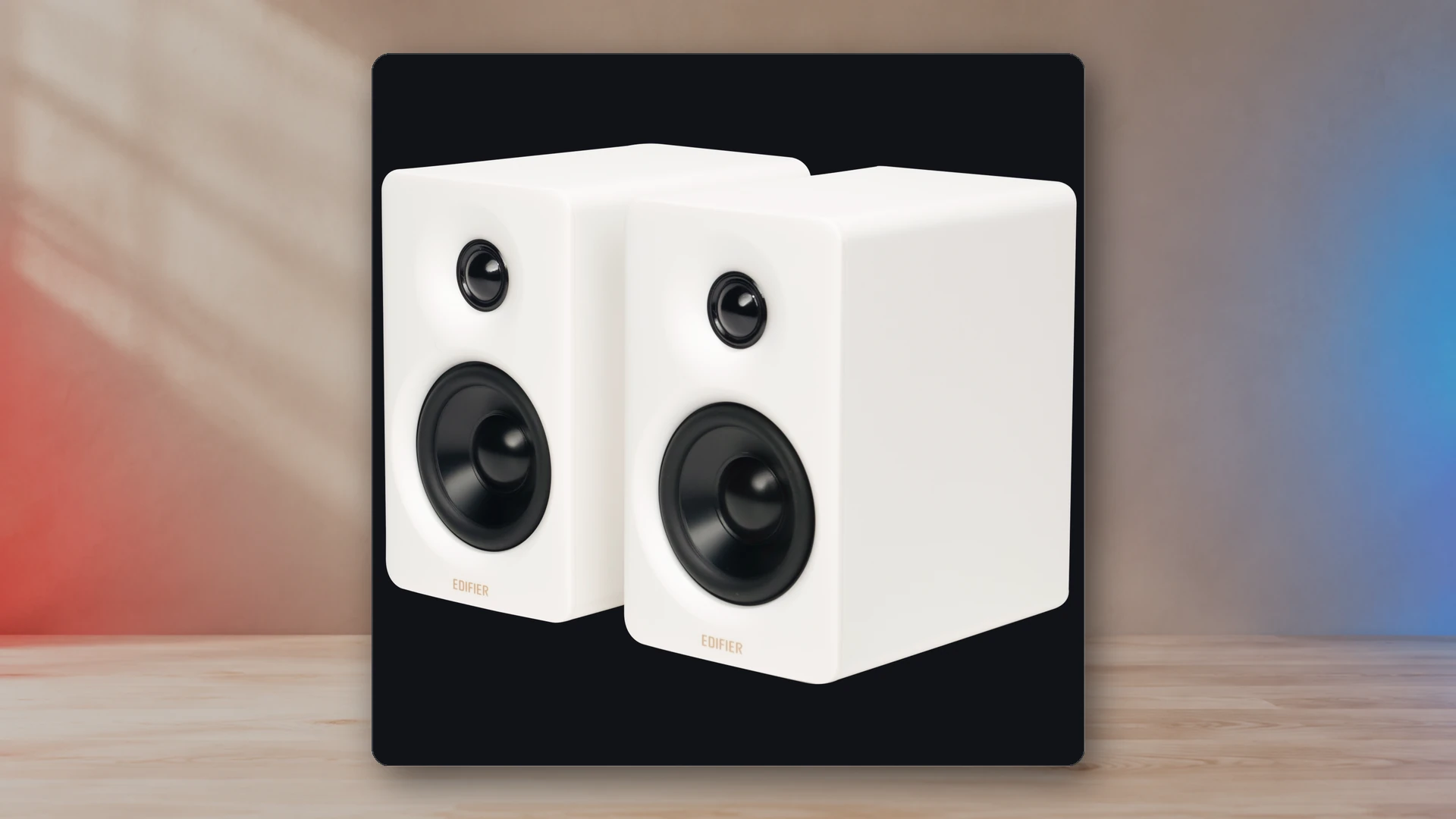
Edifier M60, R1280DB, and R1700BT are all powered stereo speakers, but they are built for different spaces. M60 is the smallest and the only one here with direct USB-C audio. R1280DB is the most flexible for a television or mixed digital setup because it includes optical and coaxial inputs. R1700BT uses the largest cabinet, more total rated power than R1280DB, and a tilted bookshelf design, but it depends on Bluetooth or analog inputs.
Edifier M60, R1280DB, and R1700BT specifications
| Product | Typical Price | Inputs | Rated Power | Frequency Low | Width | Height | Depth | Optical Input | Remote Control |
|---|---|---|---|---|---|---|---|---|---|
| Edifier M60 | $199.99 | USB-C audio; Bluetooth 5.3; 3.5 mm AUX | 66 W | 58 Hz | 100 mm | 168 mm | 147 mm | No | Touch panel / app |
| Edifier R1280DB | $189.99 | Bluetooth; optical; coaxial; dual RCA | 42 W | 55 Hz | 146 mm | 234 mm | 196 mm | Yes | Wireless remote |
| Edifier R1700BT | $219.99 | Bluetooth 5.1; dual RCA / AUX | 66 W | 60 Hz | 154 mm | 254 mm | 214 mm | No | Wireless remote |
How the data was assembled
Product selection combines manufacturer specifications, current US pricing, compatibility information, and published measurements. Measurements are attributed to their sources in the comparison data.
The biggest difference is the intended position
M60 is a near-field desktop product. Each speaker is only 100 mm wide, and the included angled stands point the drivers toward a seated listener. R1280DB and R1700BT are traditional powered bookshelf designs. They take substantially more height and depth and work better on a wide desk, shelf, media cabinet, or separate stands.
That distinction matters because a larger speaker placed behind a monitor is worse than a smaller speaker placed correctly. Before comparing output, measure the clear width beside the screen, depth before the keyboard and mouse area, and height under shelves. The placement guide explains how equal distance and aiming affect the result.
Edifier M60: best for a compact PC desk
M60 combines USB-C audio, 3.5 mm AUX, Bluetooth 5.3, LDAC support, a touch-sensitive top panel, and Edifier ConneX app control. It is designed to sit close to the listener and does not require the PC’s analog output.
The manufacturer lists speaker width at 100 mm.
The manufacturer lists speaker depth at 147 mm.
The manufacturer lists total RMS output at 66 W.
The limitation is expansion. M60 does not provide optical input or a subwoofer output. It is the cleanest option for a single desktop, laptop, or phone-centered setup, not the most flexible hub for a television and several fixed sources.
View Edifier M60 speakers on Amazon (paid link)
Edifier R1280DB: best for a PC and television combination
R1280DB is the connection-focused model. Optical and coaxial inputs sit beside Bluetooth and two RCA line inputs, so the pair can accept a television, computer, console display, streamer, or older analog source without relying on one adapter chain. Side knobs provide bass, treble, and volume control, and the remote handles everyday source and volume changes.
The manufacturer lists speaker width at 146 mm.
The manufacturer lists speaker depth at 196 mm.
The manufacturer lists total RMS output at 42 W.
The cabinet is much larger than M60 and requires more wall and desk clearance. It also does not have the subwoofer output found on the separate R1280DBs variant, so do not buy the base R1280DB assuming a powered sub can be added directly.
View Edifier R1280DB speakers on Amazon (paid link)
Edifier R1700BT: best for larger analog and Bluetooth setups
R1700BT uses a taller and deeper angled cabinet, 66 W RMS total output, Bluetooth 5.1, and two analog source paths. Bass, treble, and volume controls sit on the side, while the remote covers basic playback control. The built-in tilt aims the drivers upward on a desk or low shelf.
The manufacturer lists active-speaker width at 154 mm.
The manufacturer lists active-speaker depth at 214 mm.
The manufacturer lists total RMS output at 66 W.
Its weakness is digital connectivity. There is no USB, optical, or coaxial input. A modern television setup may therefore need the television’s analog output, a DAC, or a different Edifier model. R1700BT makes the most sense when Bluetooth and RCA/AUX are already the intended sources.
View Edifier R1700BT speakers on Amazon (paid link)
Input comparison
| Input or control | M60 | R1280DB | R1700BT |
|---|---|---|---|
| USB audio | USB-C | No | No |
| Bluetooth | 5.3 with SBC and LDAC | 5.1 | 5.1 |
| Analog | 3.5 mm AUX | Dual RCA | Dual RCA / AUX |
| Optical | No | Yes | No |
| Coaxial | No | Yes | No |
| Physical control | Top touch panel | Side knobs | Side knobs |
| Remote | App, no handheld remote | Included | Included |
Which is better for gaming?
M60 is the easiest direct PC-gaming choice because USB-C audio bypasses a noisy or weak analog output and the cabinets fit close to a monitor. R1280DB is better when the gaming system shares a television or display with other sources and optical is available. R1700BT can work well from a PC line output or Bluetooth source, but it is not the cleanest answer for a console that sends normal audio through HDMI.
None of the three includes a microphone. Voice chat still requires a separate mic or headset. The speakers, soundbar, and headset guide explains when an open speaker system is the wrong format despite good sound.
Which is better for music and a room?
R1700BT’s larger cabinet and higher total rated power make it the most room-oriented of the three, provided the sources are analog or Bluetooth. R1280DB is the more flexible media-room hub because optical and coaxial simplify television and digital-source connections. M60 is the strongest personal desktop option where the listener stays close and space is limited.
Placement can change the balance more than a small specification difference. Keep the pair symmetrical, aim the drivers toward the listener, and avoid blocking one side with a display. Larger rear-ported cabinets also need sensible clearance and should not be trapped inside a closed shelf.
Upgrade flexibility
The base versions compared here do not provide a dedicated subwoofer output. Buyers who expect to add a powered subwoofer should consider a model designed with sub out rather than planning around a splitter without volume-management certainty. A separate DAC or audio interface can add connection flexibility, but it also raises the total cost and cable count.
For broader alternatives across 2.0, 2.1, soundbar, and bookshelf formats, use the budget-speaker pillar.
Final verdict
M60 is the best of these three for a small modern PC desk. R1280DB is the best source-switching choice and the easiest to share with a television. R1700BT is the best fit when a larger cabinet, more rated power, and analog plus Bluetooth playback matter more than optical or USB. Choose the connection path and physical location first; the correct model usually becomes obvious after those two constraints are fixed.
Sources
- Edifier M60 official specificationsEdifier USA
- Edifier R1280DB official specificationsEdifier USA
- Edifier R1700BT official specificationsEdifier USA
Harry Negron
Harry Negron leads NexusArc's editorial direction across games, player culture, gear, and technology.