

Controller Circularity Error Explained: What the Outer-Stick Trace Really Shows
A technical but practical explanation of angular bins, outer reach, clipping, gate shape, normalization, and why circularity percentage should never be treated as a universal quality score.
A controller circularity test plots how far an analog stick reaches as it moves around its physical outer gate. The result may look like a circle, rounded square, clipped diamond, or uneven loop. A circularity percentage summarizes variation in that path, but the number is not a universal controller-quality score. Physical gate shape, firmware normalization, driver mapping, browser normalization, center offset, test technique, and game-side clamping can all affect it.
Run the Controller Deadzone Tester
What the browser receives
The Gamepad API exposes arrays of axes and buttons. For a standard-mapped controller, the two sticks are commonly represented by four normalized axes. The browser presents values, but it does not guarantee that every controller, operating system, driver, or platform uses an identical raw sensor pipeline.
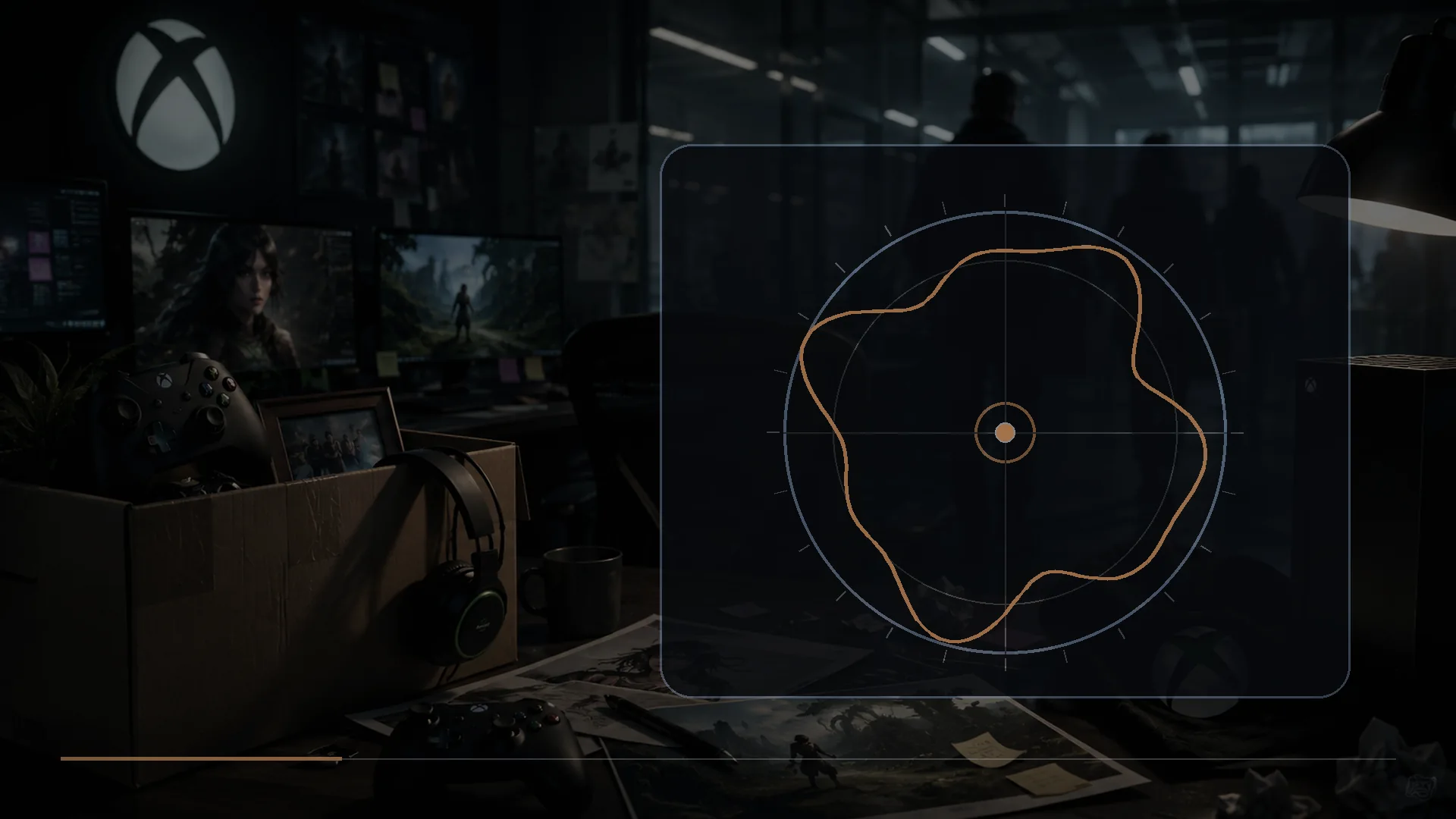
NexusArc subtracts the calibrated center offset, converts each X/Y sample to a radius and angle, and stores the greatest observed radius in 72 angular bins. That produces an outer envelope rather than simply drawing the order in which your hand moved.
How the outer trace is built
- The untouched center is sampled and averaged.
- The center offset is subtracted from later points.
- Each point is converted from X/Y coordinates to radius and angle.
- The angle is assigned to one of 72 sectors.
- The largest radius observed in each sector is stored.
- Coverage reports how many sectors received a meaningful sample.
- Circularity error compares each populated sector with the mean outer radius.
The result becomes more trustworthy when coverage is high and the same shape appears across several slow rotations.
Why a perfect circle is not universal
The physical opening around a stick may be circular, octagonal, square-influenced, or shaped by internal stops. Firmware can normalize the sensor output before the operating system receives it. A driver may clamp diagonal magnitude. A game may apply its own radial normalization. Because the layers are not identical, a “perfect” browser plot is not a universal design requirement.
A controller that reaches a repeatable 0.95 to 1.00 around the full gate may work perfectly even if the outline is mildly uneven. A controller with a visually circular path can still have center drift, jitter, buttons that fail, or latency elsewhere in the chain.
Coverage matters before error percentage
If only half the angular sectors have data, the circularity calculation describes an incomplete trace. Rotate slowly and touch the gate around the full perimeter. Fast circles can skip sectors; inconsistent pressure can change the apparent edge.
The tester reports “range test incomplete” until enough coverage exists. That protects against reading a low error percentage from a handful of convenient angles.
Minimum edge and maximum radius
Minimum edge is the lowest outer radius observed among populated sectors. It helps identify a direction that consistently falls short. Maximum radius shows the farthest observed sample and can reveal overshoot beyond the nominal normalized range.
A large gap between minimum and maximum can be caused by real asymmetry, square-like normalization, incomplete contact with the gate, or a center offset that was not calibrated. Repeat the test before drawing a conclusion.
What a high circularity error can mean
- The stick or gate has a deliberately noncircular response.
- One sector cannot reach the expected outer range.
- The center calibration was poor or the stick moved during calibration.
- The rotation did not maintain contact with the gate.
- The browser or operating system normalized axes differently.
- A remapper or input layer changed the response.
- The controller mechanism is worn, damaged, or contaminated.
The test identifies a pattern to investigate; it does not identify the physical cause by itself.
When circularity can affect games
Outer-range limitations matter most when the game expects full stick magnitude for maximum movement, steering, camera turn speed, or radial menus. If one direction reaches only 0.75 while others reach 1.00, a character may move or turn more slowly in that sector unless the game’s outer deadzone compensates.
Minor variation near the outer edge is often less important for games that rarely depend on precise full-radius input. Center stability and response near the aiming region may matter more. Use the deadzone settings guide to separate center filtering from outer-range scaling.
Square error is not automatically bad
Some input paths allow diagonal radius to exceed the cardinal radius, producing a rounded square or four-lobed trace. A formula that measures deviation from the mean circle may call this “error,” even when the behavior is consistent and the game clamps it safely. The term describes deviation from a circle, not necessarily a defect.
How to compare two controllers fairly
- Use the same computer, browser, connection, and test version.
- Disable remappers and custom response profiles.
- Calibrate center with both sticks untouched.
- Use the same slow rotation technique.
- Complete several rotations in both directions.
- Export a report only after coverage is high.
- Compare patterns as well as summary numbers.
- Verify any suspected weakness in a game that uses that direction.
How this differs from stick drift
Stick drift is unintended motion near center. Circularity describes the outer path. A controller can have one without the other. The stick-drift guide begins with center stability, return-to-center behavior, and software controls before moving to repair decisions.
How this differs from latency
Circularity is spatial: it describes where samples appear. Latency is temporal: it describes when input becomes available and eventually visible. The browser plot cannot prove the complete end-to-end delay of a controller. Read the wired versus Bluetooth controller latency guide for the separate timing chain.
Final interpretation
Prioritize complete coverage, repeatability, and obvious missing sectors. Treat circularity error as one descriptive metric alongside center drift, jitter, minimum edge, maximum range, triggers, buttons, and game behavior. A controller is useful when its output is stable, predictable, and sufficient for the software—not when one browser plot looks mathematically perfect.
Sources
- Gamepad specificationWorld Wide Web Consortium
- Using the Gamepad APIMDN Web Docs
- GameInputGamepadState structureMicrosoft Learn

Harry Negron
Harry Negron leads NexusArc's editorial direction across games, player culture, gear, and technology.